Dark-room occupancy boost for a windowless utility room
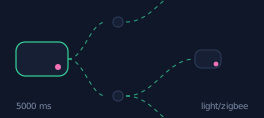
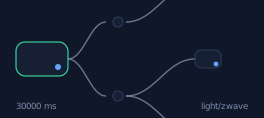
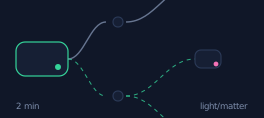
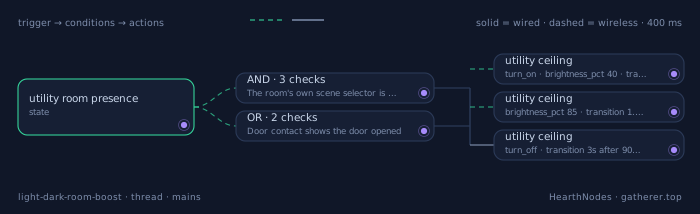
A windowless utility room has no daylight reference at all, so presence alone drives a two-stage scene: 40 % on entry, 85 % when you stay past 20 seconds, off 90 seconds after you leave. Entry-to-light latency is 400 ms on Thread.
# HearthNodes recipe 10 - dark room occupancy boost
alias: "Light - windowless utility room two stage"
id: hn_light_dark_room_boost
description: "40 percent on entry, 85 percent after 20 s dwell, off 90 s after clear"
mode: restart
max_exceeded: silent

trigger:
  - platform: state
    entity_id: binary_sensor.utility_room_presence
    to: "on"
    id: entered
  - platform: state
    entity_id: binary_sensor.utility_room_presence
    to: "off"
    for: "00:01:30"
    id: cleared
  - platform: state
    entity_id: binary_sensor.utility_door_contact
    to: "on"
    id: door_opened

variables:
  light_target: light.utility_ceiling

condition:
  - condition: state
    entity_id: select.utility_room_scene
    state: "normal"
  - condition: template
    value_template: "{{ states('sensor.thread_border_router_lqi') | int(100) > 40 }}"

action:
  - choose:
      - conditions:
          - condition: trigger
            id: entered
        sequence:
          - service: light.turn_on
            target:
              entity_id: "{{ light_target }}"
            data:
              brightness_pct: 40
              transition: 0.4
          - wait_for_trigger:
              - platform: state
                entity_id: binary_sensor.utility_room_presence
                to: "on"
                for: "00:00:20"
            timeout: "00:02:00"
            continue_on_timeout: false
          - service: light.turn_on
            target:
              entity_id: "{{ light_target }}"
            data:
              brightness_pct: 85
              transition: 1.5
      - conditions:
          - condition: trigger
            id: door_opened
        sequence:
          - service: light.turn_on
            target:
              entity_id: "{{ light_target }}"
            data:
              brightness_pct: 40
              transition: 0.4
      - conditions:
          - condition: trigger
            id: cleared
        sequence:
          - service: light.turn_off
            target:
              entity_id: "{{ light_target }}"
            data:
              transition: 3

# Door contact fires before the person is in the sensor's view, which is exactly
# when the light needs to come on. Presence-sensor failure -> door contact alone
# drives a 3 minute full-brightness scene; the relay's own 5 minute local
# fallback covers a hub outage.
Trigger · state
binary_sensor.utility_room_presence
Utility-room presence turns on, or turns off (both directions are handled by the same recipe).
Step-by-step
- light.utility_ceilingImmediate 40 % on entry — enough to see the floor, deliberately not full brightness because most visits are under 15 seconds.
turn_on · brightness_pct 40 · transition 0.4s - light.utility_ceilingEscalate to 85 % only after 20 s of continuous occupancy, which is the signal that this is a real task and not a pass-through.
brightness_pct 85 · transition 1.5s after 20s dwell - light.utility_ceilingTurn off 90 s after the room reports clear, using a restart-mode timer so re-entry cancels the countdown.
turn_off · transition 3s after 90s clear
Add the door contact, even though you have a presence sensor
A closed door between a PIR and the person is a hard blocker. The door contact's opening event fires before the person is in the sensor's view, which is exactly when the light needs to come on. This one extra sensor removes most of the 'the light is always late in here' complaints.
Two-stage beats single-stage in a pass-through room
A utility room is mostly pass-through traffic. Lighting it to 100 % for a 12-second visit wastes energy and makes the room feel like a stage. 40 % for the first 20 s and 85 % after that matches how the room is actually used.
Put a Thread router in the room, not near it
Washers, dryers and metal shelving attenuate 2.4 GHz badly. A mains-powered Thread device inside the room keeps the mesh path short, and it doubles as the fixture relay so it costs nothing extra.
Hardware
| Model | Protocol | Link | Role in this chain |
|---|---|---|---|
| Eve Motion (Thread) | thread |
wireless | Fast reporting over Thread; its 400 ms report is what makes the entry light feel instant. |
| Aqara Door and Window Sensor P2 (Thread) | thread |
wireless | Door contact used as an OR trigger because a closed utility door can block PIR entirely. |
| Thread smart relay behind the ceiling fixture | thread |
wired | Mains-powered relay that also acts as a Thread router, which keeps the mesh healthy in a room with metal appliances. |
When it fails
If the presence sensor fails, the door contact alone drives a 3-minute full-brightness scene — less efficient but never leaves someone in a windowless room in the dark. If Thread is unreachable, the relay's physical wall switch still works, and it has a local fallback that turns the light on for 5 minutes on any button press.